
Google Business Profile Optimization: A Complete Guide to Improve Local Visibility and Customer Trust
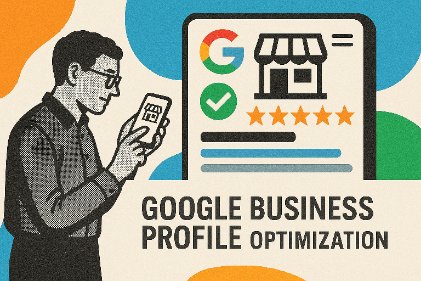
Photo by Miriam Ellis
Google Business Profile Optimization: A Complete Guide to Improve Local Visibility and Customer Trust
For many customers, Google is the first place they go when looking for a nearby business, service provider, restaurant, consultant, retailer, or professional. A well-optimized Google Business Profile (GBP) can therefore become one of the most valuable digital assets for a local business.
Google Business Profile allows eligible businesses to control how important information such as their name, address, phone number, website, business hours, photos, and customer reviews appears across Google Search and Google Maps. Google provides this service at no charge.
However, simply creating a profile is not enough. Businesses need accurate information, relevant categories, quality photos, genuine reviews, useful updates, and consistent business details.
For startups and small businesses, Google Business Profile optimization can strengthen local discoverability, build customer confidence, and create more opportunities for calls, website visits, directions, bookings, and store visits.
What Is Google Business Profile Optimization?
Google Business Profile optimization is the process of improving and maintaining a business’s Google listing so that customers can easily discover, understand, and interact with the business.
A properly optimized profile should answer basic customer questions immediately:
- What does the business offer?
- Where is it located?
- When is it open?
- How can customers contact it?
- What do previous customers think?
- What products or services are available?
- Why should someone choose this business?
Google explains that local search visibility is primarily influenced by relevance, distance, and prominence. Businesses cannot pay Google to receive a better organic local ranking.
This makes profile quality and overall local SEO important components of a sustainable digital marketing strategy.
Why Google Business Profile Matters for Businesses
A Google Business Profile acts like a digital storefront.
Consider a customer searching for “digital marketing agency near me.” Before visiting a company’s website, the customer may see business names, ratings, locations, photos, hours, and other information directly in Google Search or Maps.
A strong profile can help businesses:
- Increase local search visibility
- Generate phone calls
- Encourage website visits
- Provide driving directions
- Build customer trust
- Showcase products and services
- Collect customer reviews
- Communicate important business updates
- Support broader local SEO efforts
For an Indian small business, this can be particularly useful when customers search using combinations such as “near me,” “best [service] in [city],” “open now,” or specific product and service terms.
How to Optimize Your Google Business Profile Step by Step
1. Claim and Verify Your Business
Start by claiming or creating the appropriate Business Profile.
Google provides an official process for adding or claiming a profile and verifying ownership. Once verified, businesses can manage how their information appears across Google Search and Maps.
Important: Use accurate business information and ensure the profile represents a legitimate eligible business.
2. Keep Your Core Business Information Accurate
Complete every relevant field carefully.
Pay particular attention to:
- Business name
- Primary category
- Address
- Service area
- Phone number
- Website
- Business hours
- Holiday hours
- Products or services
- Business description
Your profile should match how the business is actually represented in the real world. Google specifically advises businesses to represent themselves consistently and maintain accurate addresses or service areas.
3. Choose the Most Relevant Primary Category
Your primary category helps Google understand what your business does.
For example, a bakery should not select a generic category when a more accurate bakery-related category is available.
Avoid selecting categories simply because you believe they have higher search volume.
Expert insight: Relevance is more valuable than trying to manipulate the profile with unrelated categories.
4. Add Relevant Secondary Categories
Where appropriate, add additional categories that genuinely describe your business.
For example, a business offering accounting and tax services might have relevant additional categories if those categories accurately represent its services.
Don’t add unrelated categories merely to appear for more searches.
5. Write a Customer-Focused Business Description
Your business description should explain:
- What you do
- Who you serve
- Your key services
- Your operating area
- What differentiates your business
Use natural language rather than repeating keywords.
Instead of:
“Best Digital Marketing Agency in Delhi, Delhi Digital Marketing Agency, Best SEO Agency Delhi…”
write something like:
“We help small and growing businesses improve their online visibility through SEO, digital marketing, branding, and technology-driven business solutions.”
The objective is clarity—not keyword stuffing.
Build Trust Through High-Quality Photos and Videos
Visual content can significantly influence how customers perceive a business.
Add authentic images that show:
- Storefront or office
- Interior
- Products
- Team members
- Work environment
- Services being delivered
- Completed projects
- Brand assets
Google recommends category-specific photos because they can highlight the features customers consider when deciding whether to purchase.
For example, a restaurant can showcase its dining area and dishes, while a consulting company can display its workspace, team, events, and professional activities.
Avoid: stock images that misrepresent your actual business.
Make Customer Reviews a Strategic Priority
Reviews are more than social proof. They are a valuable source of customer feedback and can contribute to local prominence.
Google notes that reviews and positive ratings can help a business’s local ranking.
Create a Sustainable Review Process
After completing a genuine transaction:
- Ask the customer for an honest review.
- Provide an easy review link.
- Thank customers for their feedback.
- Respond professionally.
- Learn from recurring complaints.
- Never manufacture or purchase fake reviews.
A negative review should not automatically be treated as a disaster.
A professional response can demonstrate that the business listens and takes customer concerns seriously.
Use Products and Services Strategically
Depending on business type and availability, profiles can showcase products or services.
For retail businesses in eligible regions, Google allows in-store products to appear in local search results.
Businesses should prioritize their most important offerings rather than creating an unnecessarily large or confusing catalogue.
For example:
A digital consultancy might list:
- SEO consulting
- Business consulting
- Branding strategy
- AI implementation
- Digital transformation
- Marketing strategy
This gives potential customers a clearer understanding of what the company actually provides.
Keep Business Hours Updated
Incorrect opening hours can create a poor customer experience.
Imagine someone searches for your business, travels to your location, and discovers that the displayed hours are wrong.
Regularly check:
- Normal operating hours
- Holiday hours
- Temporary closures
- Special schedules
Accurate information is especially important for restaurants, retail stores, clinics, salons, and service businesses.
Connect Your Business Profile With Your Website
Google Business Profile should not operate in isolation.
Your website should reinforce the same business information and positioning.
Maintain consistency across:
- Business name
- Address
- Phone number
- Services
- Locations
- Brand messaging
Google can use publicly available information, including information from official websites, when compiling local business information.
A strong website combined with a well-maintained Business Profile creates a stronger overall local-search ecosystem.
Practical Business Examples
Example 1: Local Restaurant
A restaurant can optimize its profile by adding:
- Accurate opening hours
- Menu information
- High-quality food photographs
- Interior photographs
- Genuine customer reviews
- Location information
- Relevant categories
A customer searching for “Indian restaurant near me” can then quickly evaluate the business before deciding whether to visit.
Example 2: Local Consultant
A business consultant can highlight:
- Consulting services
- Business strategy
- Startup advisory
- Branding
- Digital transformation
- Client reviews
- Professional photographs
- Website
The profile becomes a discovery channel rather than merely an online address.
Example 3: Retail Store
A neighborhood retailer can maintain accurate hours, location details, product information, photographs, and reviews.
For eligible retailers, Google also supports showcasing in-store products.
Best Practices for Google Business Profile Optimization
Follow these practices consistently:
- Keep business information accurate.
- Select the most relevant primary category.
- Add appropriate secondary categories.
- Use authentic, high-quality photographs.
- Maintain accurate operating hours.
- Request genuine customer reviews.
- Respond professionally to reviews.
- Keep products and services updated.
- Publish useful business updates where appropriate.
- Maintain consistent information across the website and other platforms.
- Monitor profile performance regularly.
- Follow Google’s Business Profile policies.
Think of optimization as an ongoing process, not a one-time setup.
Common Google Business Profile Mistakes to Avoid
Keyword Stuffing the Business Name
Don’t insert unnecessary keywords into the official business name.
Using Fake Reviews
Purchased or fabricated reviews can damage credibility and create policy risks.
Choosing Irrelevant Categories
More categories do not automatically mean better visibility.
Ignoring Negative Reviews
Silence can make a customer complaint appear worse.
Using Low-Quality Images
Dark, outdated, or irrelevant photographs can reduce customer confidence.
Providing Incorrect Hours
Incorrect information creates unnecessary customer frustration.
Creating Duplicate Profiles
Duplicate listings can create confusion and management problems.
Neglecting the Profile After Setup
A profile that was optimized once but never maintained can become outdated.
Frequently Asked Questions
1. Is Google Business Profile free?
Yes. Google states that businesses can add or claim an eligible Business Profile at no charge.
2. Does Google Business Profile help SEO?
Yes, particularly for local search visibility. However, having a profile does not guarantee a particular ranking position.
3. How does Google rank local businesses?
Google says local results are primarily influenced by relevance, distance, and prominence.
4. How often should I update my Business Profile?
Review it regularly and update information whenever something changes. Hours, services, products, photographs, and other information should remain current.
5. Should businesses respond to Google reviews?
Yes. Professional responses show customers that the business values feedback and provides an opportunity to address concerns.
6. Can I improve my ranking by adding more keywords?
Not through keyword stuffing. Focus on accurate business information, relevance, customer experience, genuine reviews, and broader local SEO.
7. Can a service-area business use Google Business Profile?
Eligible businesses that travel to customers can use a Business Profile, subject to Google’s guidelines.
Conclusion
Google Business Profile optimization is an important part of modern local digital marketing.
The strongest profiles are not created simply to satisfy an algorithm. They are built to help real customers make faster and more confident decisions.
Start with accurate business information. Select relevant categories. Add authentic photographs. Maintain your services and hours. Encourage genuine reviews. Respond to customers. Connect your profile with a strong website and broader local SEO strategy.
Most importantly, treat your Google Business Profile as an ongoing business asset rather than a one-time listing.
For entrepreneurs and small businesses, consistent optimization can turn Google Search and Maps into valuable channels for visibility, trust, customer engagement, and growth.
Call-to-Action
Need help improving your business’s online presence?
Pinehills Business Solutions helps entrepreneurs and growing organizations with business consulting, branding, digital marketing, digital transformation, AI solutions, and business growth strategies.
Connect with Pinehills Business Solutions to build a stronger digital presence and create a practical roadmap for sustainable business growth.